



Product Specification
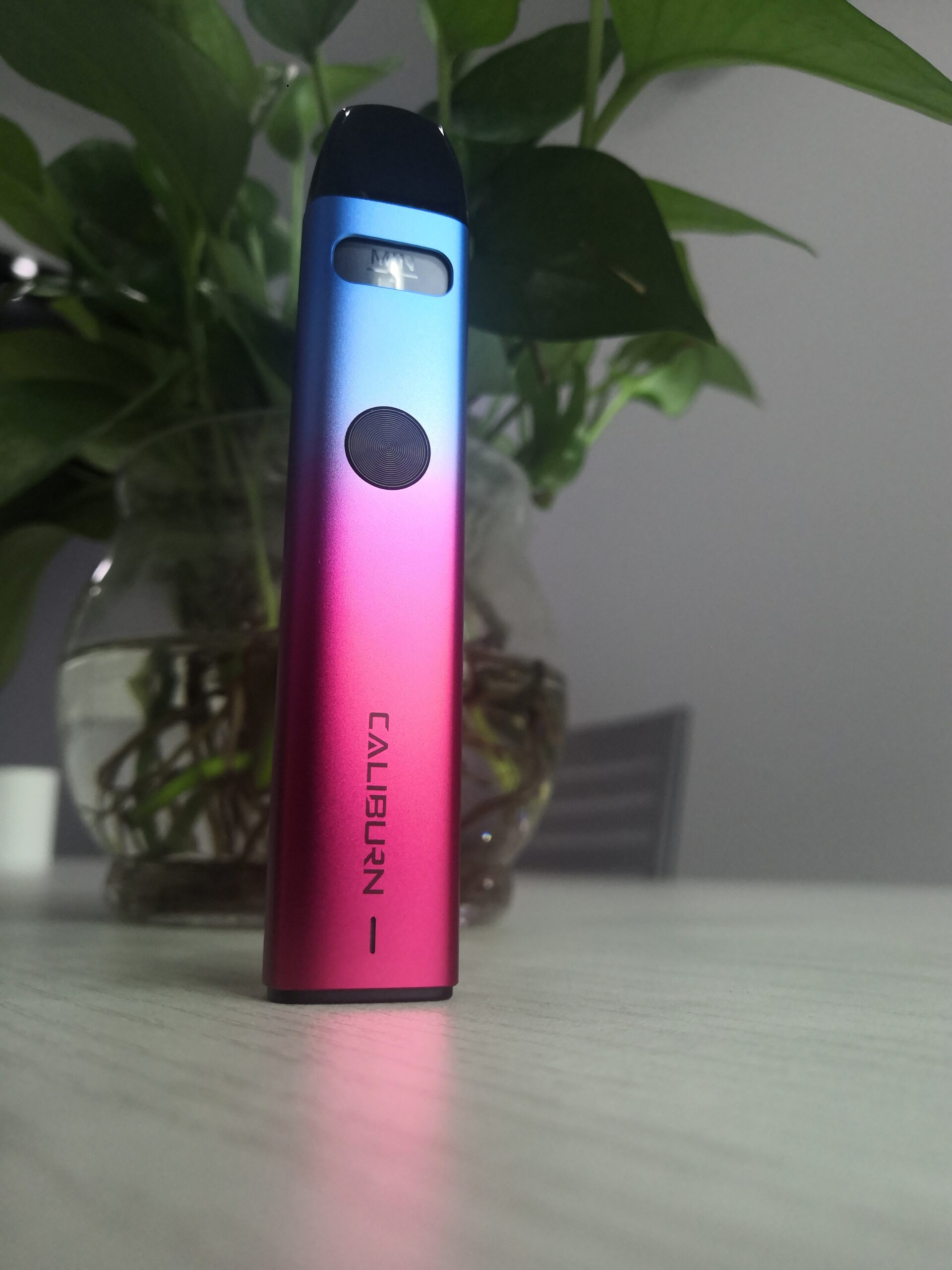
- Main material: PCTG, aluminum alloy
- Dimension: 120.7*30*18.5 mm
- Net weight: Approximately 78 g
- Capacity: 3.0 ml
- Maximum output power: 35 W
- Cartridge specification: 0.4 Ω/0.6 Ω/0.9 Ω/1.2 Ω
- Cell capacity: 1800 mAh

Quick Start Guide
- Take the cartridge off the device, then remove the insulating film
from the bottom. - Open the filler plug for filing and after that, insert the cartridge into the main unit and keep it stand for 10 minutes.
- Press the button five times consecutively within 2 seconds to turn
on the device and take a drag to vape.
Detailed Instructions for Use
- Filling
a. Remove the cartridge and tear off the insulating film at the bottom before use for the first time.
b. Open the filler plug and fill.
c. Put the filler plug back on.
d. Insert the cartridge into the main unit.
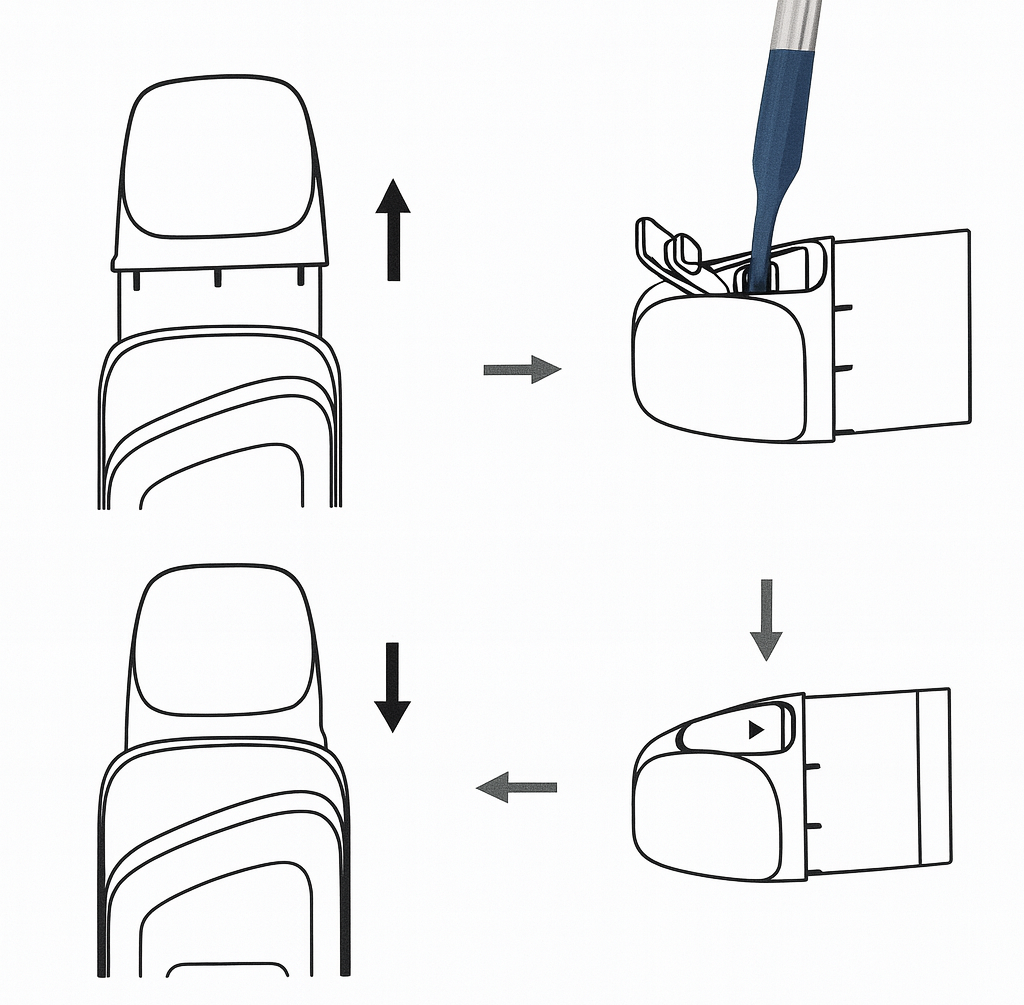
Precautions:
a. Insert the drip tip of the bottle into the filling slot before filling.
b. DO NOT leave the filling slot open for a long time. After filling, immediately put the filler plug back on and amke sure it is pressed in place to prevent leakage.
c. After filling a new cartridge for the first time, please let it stand for 10 minutes before use to prevent damages to the pod caused by operation without e-liquids.
d. When the remaining e-liquid in the cartridge is below the “MIN” level, please refill in time.
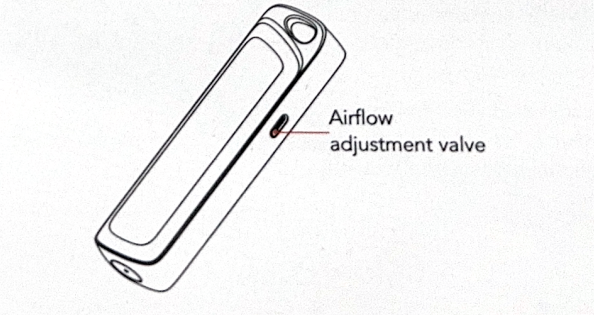
2. Airflow adjustment
Adjust the flow rate via the airflow adjustment valve on the side.
- Startup/ shutdown
Press the button five times consecutively to turn on/ off. - Cartridge insertion/ removal
a. When the cartridge is inserted, shake once and display the current cartridge resistance and power range.
b. When the cartridge is removed, shake once. - Vaping
Take a drag to vape when the device is turned on. The screen will display animation and the number of seconds. - Home screen quick actions
Pull up to unlock, swipe left/right to switch theme, pull down to enter menu, keep swiping right for 5 seconds without any operation to return.
6.1 Screen locking/ unlocking
a. When the screen is on, press the button once or do nothing for 3 seconds (user-definable), to lock and turn off the screen.
b. When the screen is off, press the button once to turn ir on. Click on the screen to display the unlock interface and swipe up to unlock.
6.2 Theme switching
On the home screen, swipe left/ right to switch theme. Unlock the locked theme by accumulating puff counts and after reaching the counts to trigger and unlocking, switch to the new theme automatically.
6.3 Mode switching
On the home screen, click the mode display area to enter the mode switching interface. Click on WAVES/ STORM / CUSTOMIZE to switch mode (in CUSTOMIZE mode, swipe up/ down to adjust points and set the output mode). Clickto finish.
6.4 Power adjustment
On the home screen, click the power display area to enter the power adjustment interface. Swipe up/ down to adjust the power. Clickto finish.
6.5 Puff counter reset
On the home screen, click the puff count display area to enter the puff counter reset interface. Click the button “” to finish.
6.6 Battery level indictor
The battery percentage will be displayed in real time based on the current battery level. - Menu settings
On the home screen, swipe down to call up the main menu.
a. Pull up from the bottom of the main menu to return to the home screen.
b. On any menu interface, swipe right to return to the previous interface.
c. Return to the home screen if there is no operation for 5 seconds.
d. All settings will take effect only after confirmation.
7.1 Brightness and screen-on time adjustment (Screen Display)
Click the icon “” to enter the brightness and screen-on time adjustment interface.
a. Brightness adjustment: Swipe up/ down to adjust the brightness.
b. Screen-on time adjustment (interval 3 ~ 15 seconds):
Click or swipe up/ down to adjust the screen-o time.
7.2 Puff and screen-off animation switch (Animation)
Click the icon ““and click “” to switch the on/ off state of puff/ screen-off animation (appeared at regular intervals).
7.3 Power saving mode
Click the icon ““and click “” to turn on/ off the power saving mode. In the power saving mode, the screen brightness will be set to the lowest, the screen-on time will be 3 seconds, and the puff and screen-off animation will be turned off, the screen will not activate during puffing but can only be awakened by pressing the power button.
7.4 Clean mode (CLEAN UI)
a. Click the icon “” to enter the clean mode switch interface. Click “” to turn on/ off the clean mode.
b. In clean mode, only the battery level and custom text (Uwell Since 2015 by default) will be displayed on the home screen. Click the custom text area to call up the text editing interface.
7.5 Language switching (Language)
Call up the main menu and click the icon “” to enter the interface for selection.
7.6 System reset (System Reset)
Call up the main menu and click the icon “” to reset interface and restore factory settings.
*Unlocked themes will be relocked and all puff counts will be reset. - Protection and prompt
a. Short circuit protection: When a short circuit occurs, the screen will display ““, the device will stop outputting.
b. Low voltage protection: When the battery is low, the screen will display ““, the device will stop outputting.
c. Over-time protection: If a puff lasts more than 6 seconds, the screen will display “” and the device will stop outputting.
d. Open circuit prompt: When the cartridge is disconnected from the device or there is no cartridge, the screen will display ““.

 to finish.
 ” to finish.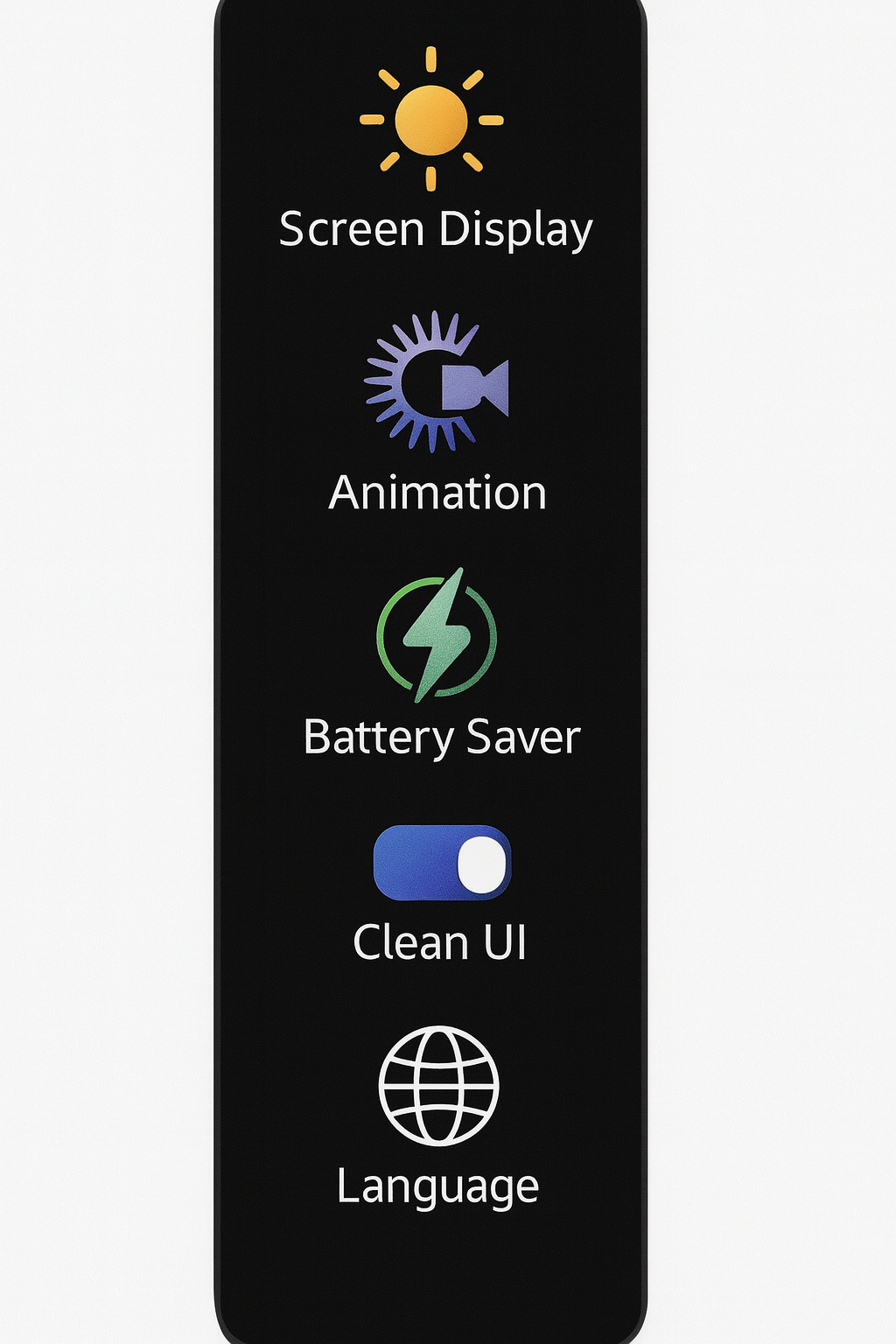
 ” to enter the brightness and screen-on time adjustment interface.
 “and click “
 ” to switch the on/ off state of puff/ screen-off animation (appeared at regular intervals).
 “and click “
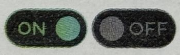 ” to turn on/ off the power saving mode. In the power saving mode, the screen brightness will be set to the lowest, the screen-on time will be 3 seconds, and the puff and screen-off animation will be turned off, the screen will not activate during puffing but can only be awakened by pressing the power button.
 ” to enter the clean mode switch interface. Click “
 ” to turn on/ off the clean mode.
 ” to enter the interface for selection.
 ” to reset interface and restore factory settings.
 “, the device will stop outputting.
 “, the device will stop outputting.
 ” and the device will stop outputting.
 “.
“.Warm Reminder
- Please use a high-quality power adapter (5V/2A) and USB cable that have passed safety certification for charging.
- If you carry this product on a plane, please remove the cartridge from the device and pack it separately to prevent leakage due to changes in aircraft pressure.
- Avoid high temperature, flammable and explosive articles, low temperature, water, and humid environment during use and storage. Do not store it with hard objects during transportation to prevent damage to the device. It is recommended to charge the device at least once a month to extend its life time.
- Do not use this device in a strong static electricity environment.

Specifications Materials: PC Aluminum alloy ADC12 PCTGDimensions: Length: 114.98mm Width: 26mm...
This time, let's talk about the latest hot arrivals— Drag X and Drag S. It's known...
Notice for Use:
Thank you for choosing Joyetech. Please read this manual carefully before use lo ensure...
Please read the following information before use:1. Insert the pod into the device first then remove...